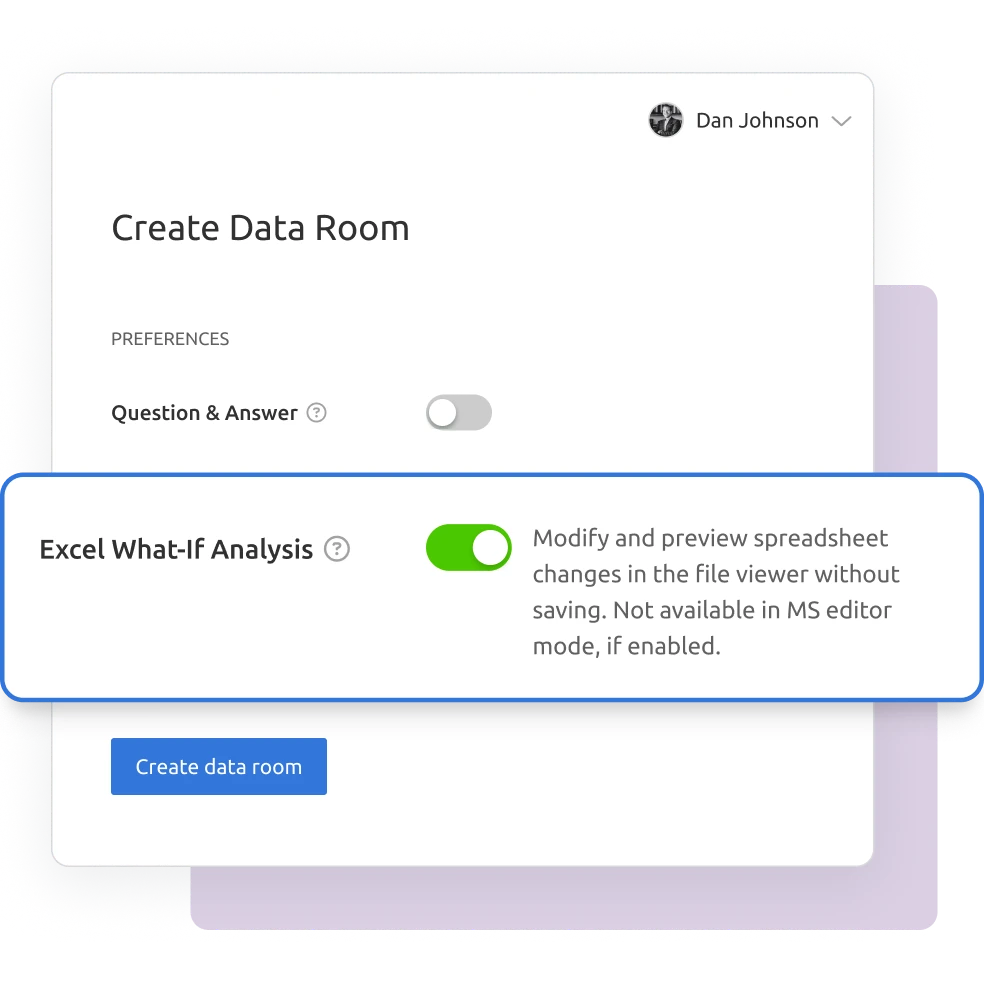
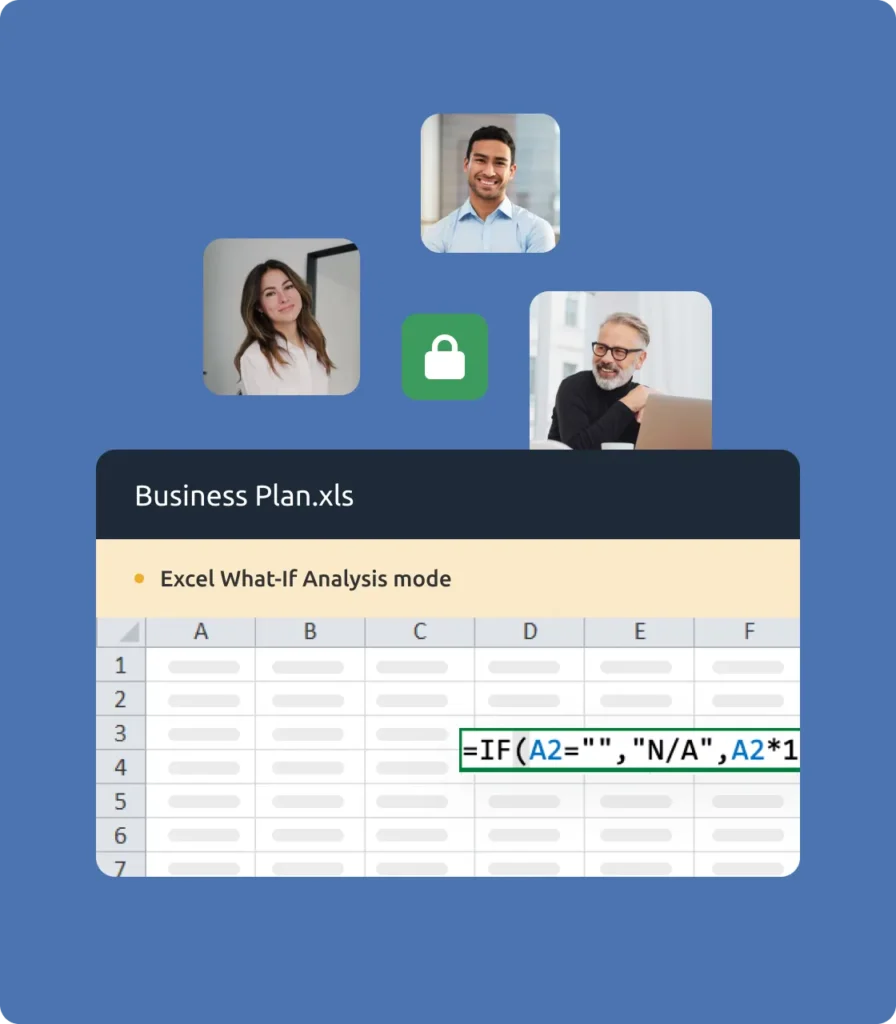
Alıcılarınıza dosyanızın kontrolünü kaybetmeden Excel'de senaryoları test etme olanağı verin. Digify'ın Excel What-If Analizi ile konuklar, kaynak dosyayı indirmeden veya değiştirmeden verileri her seferinde bir hücre olmak üzere güvenli bir şekilde keşfedebilir.
138 ülkede 700.000'den fazla profesyonel tarafından güvenilmektedir
Güvenli Excel analizi basitleştirildi
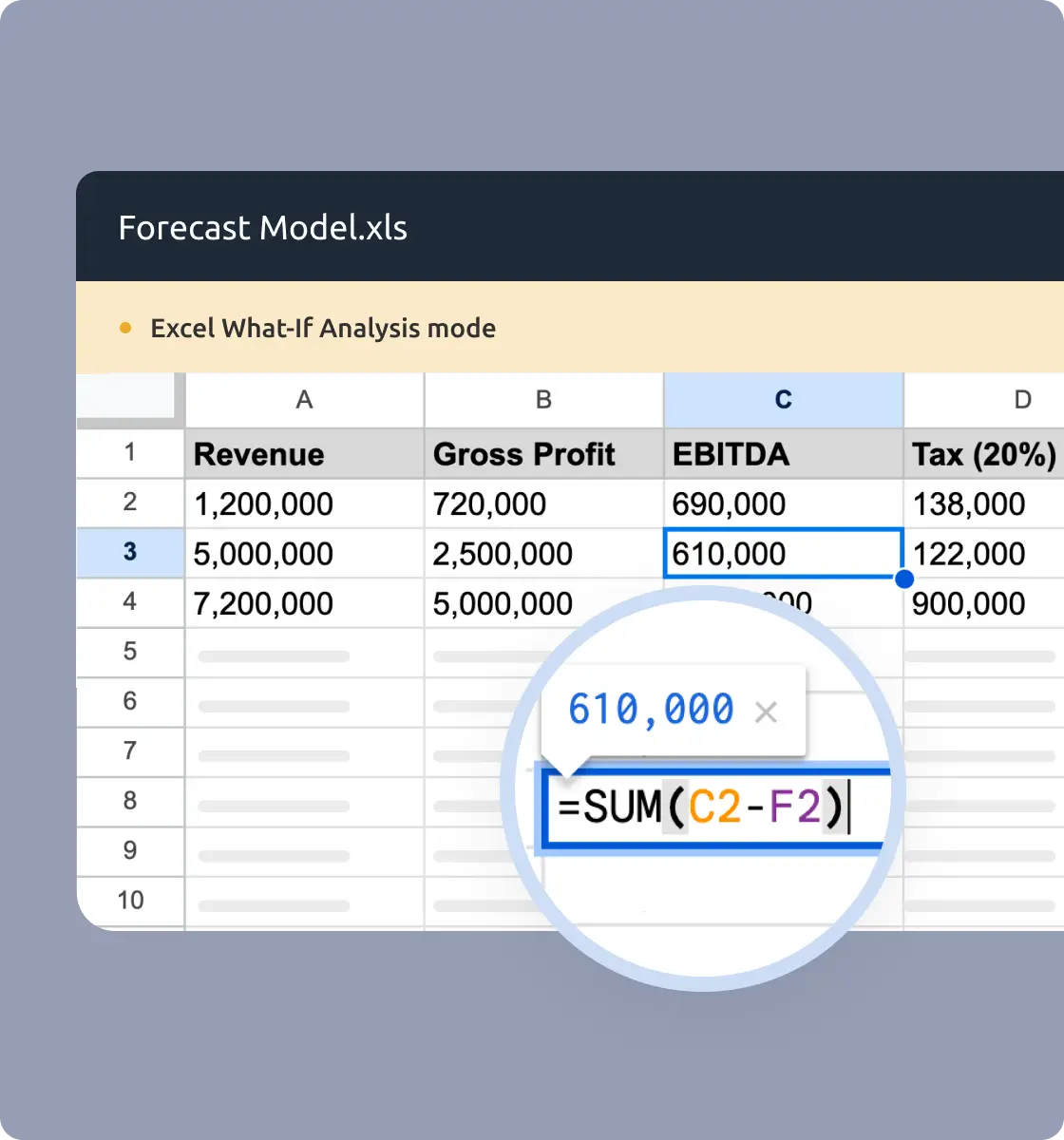
Tek tek hücre değerlerini görüntüleme, değiştirme, kopyalama ve yapıştırma
Temel formülleri her seferinde bir hücre görüntüleyin ve ayarlayın
Farklı perspektifleri test etmek için verileri sıralayın ve filtreleyin
Tam elektronik tablo kopyalamayı, kesmeyi veya yapıştırmayı önleyin
Dosya kaydetmeyi veya değiştirilmiş sürümlerin dışa aktarılmasını engelleme
Desteklenen formatlar arasında XLS, XLSX, CSV, ODS ve TSV bulunur
Her kullanım durumu için Excel What-If Analizi
Finans ve Bankacılık
Finansal modelleri güvenli bir şekilde çalıştırın. Müşterilerinizin veya ortaklarınızın elektronik tablolarınızı indirmeden veya kaydetmeden varsayımları ayarlamasına izin verin.
Bağış Toplama
Tahminleri güvenle paylaşın. Yatırımcıların orijinal verilerinizi korurken Excel modellerinizde farklı senaryoları keşfetmelerini sağlayın.
Danışmanlık & Hizmetler
Senaryoları müşterilerle test edin. Dosyalarınızın kontrolünü kaybetmeden projeksiyonlar ve planlar üzerinde güvenli işbirliği sağlayın.
Eğitim & Öğretim
Uygulamalı öğrenmeyi etkinleştirin. Öğrenciler veya stajyerler, dosyaların bozulmadan kaldığı kontrollü bir ortamda modelleri deneyebilirler.
Güvenli Excel işbirliği için tasarlandı
Finans ve Bankacılık
Dosya indirmeden kontrollü, hücre hücre ayarlamalara izin vererek finansal modelleri koruyun.
Kaynak Geliştirme ve Girişim Sermayesi
Yatırımcıların veri odanızda güvenli bir şekilde projeksiyonlar ve varsayımlarla etkileşime girmesine izin verin.
Danışmanlık & Hizmetler
Tüm elektronik tabloları göstermeden müşteriler için senaryo testi sunun.
Hukuk ve Uyum
Hassas Excel belgelerinin bozulmadan kalmasını ve denetime hazır olmasını sağlayın.
Startuplar ve KOBİ'ler
Modellerinizin kontrolünü elinizde tutarken iş planlarını ve finansal bilgileri yatırımcılarla veya ortaklarla güvenle paylaşın.
Eğitim & Öğretim
Verilerin kötüye kullanımını önlerken elektronik tablolarla etkileşimli alıştırmaları destekleyin.
“Digify, halihazırda kullandığımız altyapı ile gerekli entegrasyonu sağlayan basit ama güvenli bir araç. Bu da Digify'ın şirket içi ekiplerimiz için seçilmesini ve kullanılmasını açık bir karar haline getirdi.”
Jonathan Agha
Bilgi Güvenliği Eski Başkanı WeWork
“Arayüz, erişim kontrolleri çok sezgisel. Belge erişimi ve incelemesine ilişkin ayrıntılı düzeydeki verileri görebiliyorum. Bir özen sürecinin nasıl işlediğine dair içgörüler için bilgi sağlamaya yardımcı oluyor. Gmail ile entegrasyon da gmail arayüzünden ayrılmadan düzenli olarak güvenli e-postalar göndermek için çok kullanışlı.”
Arjun Sharma
Direktör, Hukuk Peak XV Ortakları
“Özel belgelerin dış ortaklara güvenli bir şekilde gönderilmesine yardımcı olmak için geçen yıldan beri Digify'ı kullanıyoruz. Ürünleri bizi bu belgeleri güvenli bir şekilde paylaşmak için kendi aracımızı oluşturmak zorunda kalmaktan kurtardı. Ürünleri zengin özelliklere sahip, müşteri geri bildirimlerine yanıt veriyorlar ve destek ekipleri her zaman benzersiz sorunlara yaratıcı çözümler üretmeye açık.”
James Costa
Baş Ürün Yöneticisi Kitapçık
“Digify, fikirlerin ve bilgilerin kontrol edilmesi ve korunmasına yönelik yinelenen bir zorluğu ele almanın basit ve ucuz bir yolunu vurgulayarak en yenilikçi olduğunu gösterdi.”
Hugh Thompson
CTO, Symantec Baş Yargıcı RSA Innovation Sandbox
“Digify'ı durum tespiti süreçlerinin ve güvenlik incelemelerinin bir parçası olarak hassas belgeleri güvenli bir şekilde göndermek için kullanıyoruz. Gizli belgelerimizi gizli tutmayı seviyoruz. Digify ile kimin erişip kimin erişemeyeceğini her zaman kontrol edebiliyoruz.”
Jonathan Dunlop
Resmi Baş Hukuk Müşaviri Vidyard
“Potansiyel ve aktif portföy şirketlerimize güvenli veri odaları sağlayabilmeyi ve ayrıca önceden ayarlanmış zaman aşımları ile gizli sunumlar göndermek için Digify'ı kolayca kullanabilmeyi seviyoruz. Digify, gerektiğinde tek tek belgelere erişim izni vermenin ve bu erişimi iptal etmenin basit bir yolunu sunuyor.”
Will Klippgen
Yönetici Ortak ve Kurucu Ortak Cocoon Capital
“Yatırımcılar için bir veri odası tutmak için her zaman Digify'ı kullanıyoruz, böylece hassas bilgiler harici olarak gönderilse bile korunmaya devam ediyor. Kullanım kolaylığı ve elbette güvenliği nedeniyle Digify'ı tavsiye etme olasılığım çok yüksek.”
Jonathan E. Savoir
CEO ve Kurucu Ortak Quincus
Excel What-If Analizi SSS
Excel What-If Analysis, veri odası misafirlerinin orijinal dosyayı indirmeden veya değiştirmeden elektronik tablo senaryolarını her seferinde bir hücre görüntülemesine, düzenlemesine ve test etmesine olanak tanır.
Hayır. Konuklar yalnızca yüklenen orijinal dosyayı indirebilir. What-If Analizi sırasında yapılan tüm değişiklikler geçicidir.
Excel What-If, XLS, XLSX, CSV, ODS ve TSV dosyalarını destekler.
Konuklar değerleri bir seferde yalnızca bir hücre kopyalayabilir veya yapıştırabilir. Toplu kopyalama, kesme veya yapıştırma devre dışıdır.
Veri odası sahipleri veya ortak sahipleri, veri odası ayarlarından bu özelliği açabilir veya kapatabilir.
Excel What-If Analizi tüm ücretli planlarda mevcuttur.