Cloud storage integrations: Google Drive, OneDrive, Box & Dropbox
Bring your favorite cloud storage tools into Digify. Secure your shared files with advanced permissions, dynamic watermarks, and analytics, all while keeping your existing cloud workflows intact.
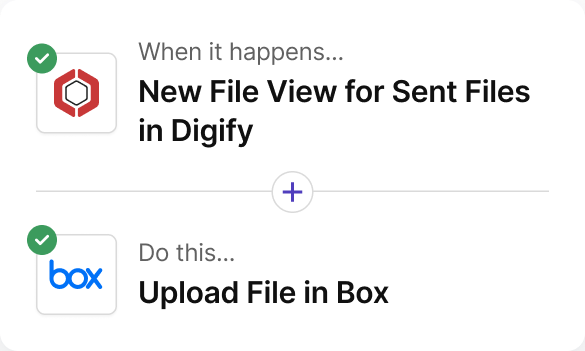
Sync Box-hosted files to Digify for enhanced protection and tracking.
Key Benefits:
Avoid redundant uploads
Control who can view, download, or print
Apply dynamic watermarks automatically
Setup Effort: Connect Box from Upload/Import
Works With: Document Security, Data Rooms
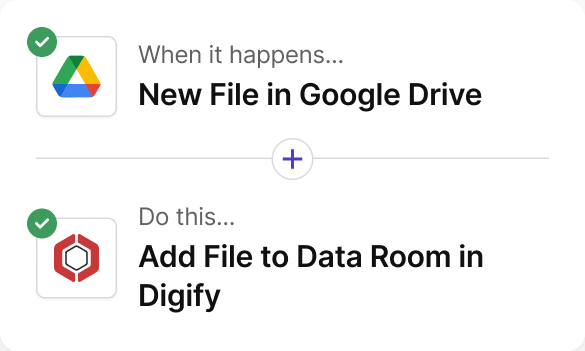
Key Triggers/Actions: Available via Digify Zapier templates
OneDrive/Sharepoint
Import OneDrive or SharePoint files and control downloads, printing, and sharing.
Key Benefits:
Import securely from OneDrive
Apply watermarks and expiry rules
Track user engagement page-by-page
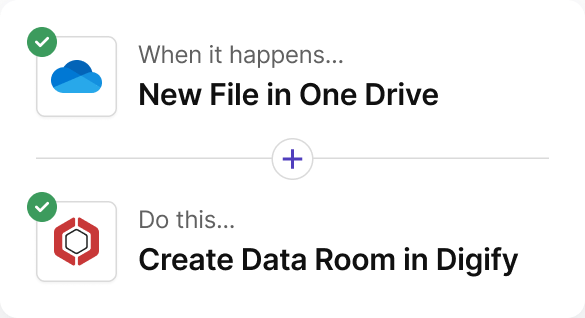
Setup Effort: Connect OneDrive from Upload/Import, optional Zapier automation
Works With: Document Security, Data Rooms
Key Triggers/Actions: Available via Digify Zapier templates
Dropbox
Coming soon!
Import Dropbox files directly and add Digify’s DRM-level controls.
Key Benefits:
Import without downloading
Enforce permissions and expiry
Track file engagement in real time
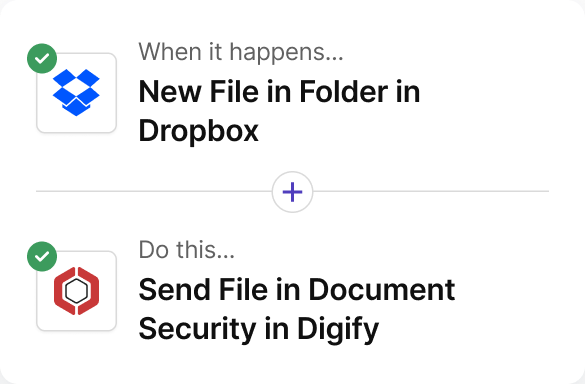
Setup Effort: Connect Dropbox from Upload/Import, optional Zapier automation
Works With: Document Security, Data Rooms
Key Triggers/Actions: Available via Digify Zapier templates
Google Drive
Coming soon!
Import Drive files into Digify without downloading. Apply permissions, watermarking, and tracking instantly.
Key Benefits:
Import seamlessly from Google Drive
Keep files secure and tracked
View detailed engagement analytics
Setup Effort: Connect Drive from Upload/Import or automate via Zapier
Works With: Document Security, Data Rooms
Key Triggers/Actions: Available via Digify Zapier templates
Built to secure files living in the cloud
Sales & Business Teams
Send proposals, quotes, and contracts securely from your existing storage without re-uploading.
Legal & Compliance Teams
Protect sensitive client documents with watermarks, expiry, and restricted access controls.
Finance & Banking
Manage reports and due diligence files from OneDrive or Box while maintaining audit-ready visibility.
Marketing & Creative Agencies
Secure creative assets, manage client approvals, and track who views your materials.
Startups & SMBs
Simplify collaboration and protect investor decks or product documents stored in Google Drive or Dropbox.
“Digify is a simple yet secure tool that provided the necessary integration with the infrastructure we already use. This made picking and using Digify for our internal teams an obvious decision.”
Jonathan Agha
Former Head of Information Security WeWork
“The interface, access controls are all very intuitive. I am able to see granular level data on document access and review. It helps provides information for insights into how a diligence process is operating. The integration with Gmail is also very useful to regularly send secure emails without leaving the gmail interface.”
Arjun Sharma
Director, Legal Peak XV Partners
“We’ve been using Digify for the last year to help securely send private documents to external partners. Their product saved us a lot of time from having to build our own tool to securely share these documents. Their product is feature rich, they respond to customer feedback, and their support team is on top of things always open to creative solutions to unique problems.”
James Costa
Principal Product Manager Wrapbook
“Digify demonstrated it was the most innovative by highlighting a simple and inexpensive way to address a recurring challenge of controlling and protecting ideas and information.”
Hugh Thompson
CTO, Symantec Head Judge RSA Innovation Sandbox
“We use Digify to securely send sensitive documents as part of due diligence processes and security reviews. We like to keep our confidential documents close to the chest. With Digify, we are always in control of who has access and who doesn’t.”
Jonathan Dunlop
Formal General Counsel Vidyard
“We love that we can provide our prospective and active portfolio company with secure data rooms and also that we easily can use Digify to send confidential presentations with preset timeouts. Digify creates a simple way to give and to revoke access to individual documents as needed.”
Will Klippgen
Managing Partner & Co-founder Cocoon Capital
“We always use Digify to maintain a data room for investors so that sensitive information is still protected, even when it is sent externally. I’m very likely to recommend Digify for its ease of use and of course, the security.”
Jonathan E. Savoir
CEO & Co-founder Quincus
Frequently asked questions
Not necessarily. You can import files directly from connected storage or use Zapier for advanced automation.
Yes. You can restrict downloads, disable printing, and apply dynamic watermarking to all imported files.
You control that. Files can be shared with specific recipients, domains, or via links with tracking enabled.
Yes, Digify is ISO 27001 certified, helping you meet enterprise-grade data protection standards.
Cloud storage imports are available on all paid plans. Zapier automation may require a Team or Business plan.
Work securely across Google Drive, OneDrive, Box, and Dropbox.