

Document Tracking Best Practices: What Engagement Metrics Should You Monitor?
Document tracking made easy: engagement metrics to monitor, how to read the signals, and tools to turn views and time-on-page into follow-ups.

Do you know what happens after you send a PDF file or a document? Learn more about PDF & Document Tracking in Digify.
Do you know what happens after you send a PDF file or a document? Can you be certain about who has viewed your PDF files? What about when and how often documents are being opened, and from where?
The fact is, control is often lost once a file has been sent out. There is no easy way to keep track of it and realistically, it could end up spread much further than you intended.
PDF file and document tracking solutions help you to understand the movement of your documents and potentially, whether they are spread beyond your intended audience. You can get an understanding of whether your documents might have been compromised, and you may even be able to do something about it, particularly if you use it in conjunction with other document security features.
Let’s take a closer look:
There are three primary reasons why you should consider using PDF file and document tracking features:
These days, many documents are transferred electronically to people who need to view them, including documents that are sensitive in nature. Naturally, you should be concerned about maintaining the security of these files and have an expectation that they don’t get forwarded to unintended recipients.
Logging the viewing of the document helps you keep track of who has accessed the file can be helpful. In cases where the file is compromised, you can then trace back to who has seen the file. You don’t want unauthorized access and you may want to check up on access by authorized users from strange locations. For senders, it gives them the feeling of control and adds some accountability for those who receive the documents. With some solutions, you can even take back the file after sending.
Let’s say you send out a pitch deck or proposal for a venture that you’re trying to get investor backing for. You could just send out your pitch, wait and hope that you’re choosing the right time later to follow up, but a more powerful strategy is to know that you’ve chosen a good time to follow up.
How will you know? If you track when the document was opened and viewed, you will know that a) your recipient has definitely seen the document and b) they’ve probably had enough time to review it before you follow up. You can then time your follow up to give yourself the best chance of getting a response.
If you send deal documents or proposals, the amount of time people spend on these documents is indicative of their level of interest. Do people read it once they receive it? Do they open it once, or do they come back to it multiple times? You can then better focus and prioritize your efforts on prospects who show the most interest in your content.
From another perspective, if you are giving away a PDF document as a lead magnet, you can understand how useful by checking how much people spend reading it. You could compare the data between different lead magnets that you use.
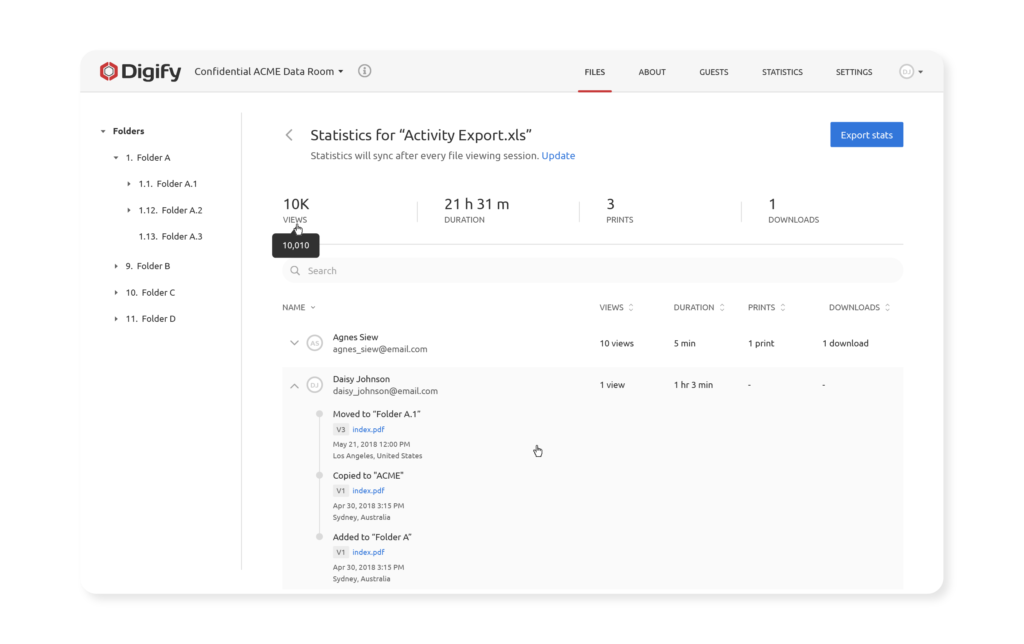
Whether you’re using the Send Files section or Data Rooms section, Digify’s tracking features can let you know who viewed your files as well as the location and duration of views. You can also know how many times your files have been viewed, printed, or downloaded.
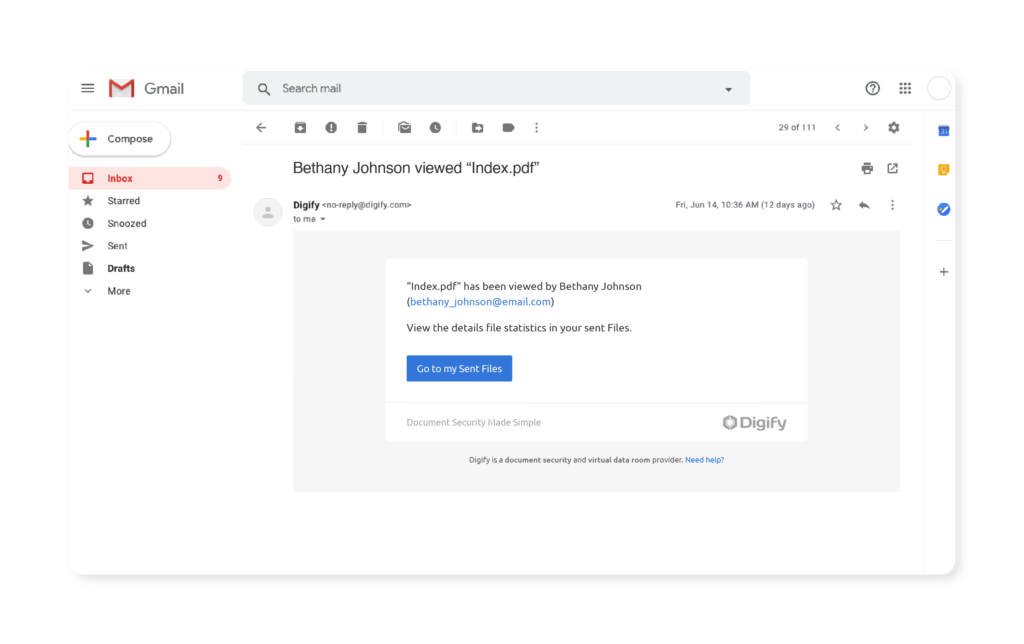
PDF File and document tracking is part of Digify’s suite of document security features. After sending the file using Digify, you will:


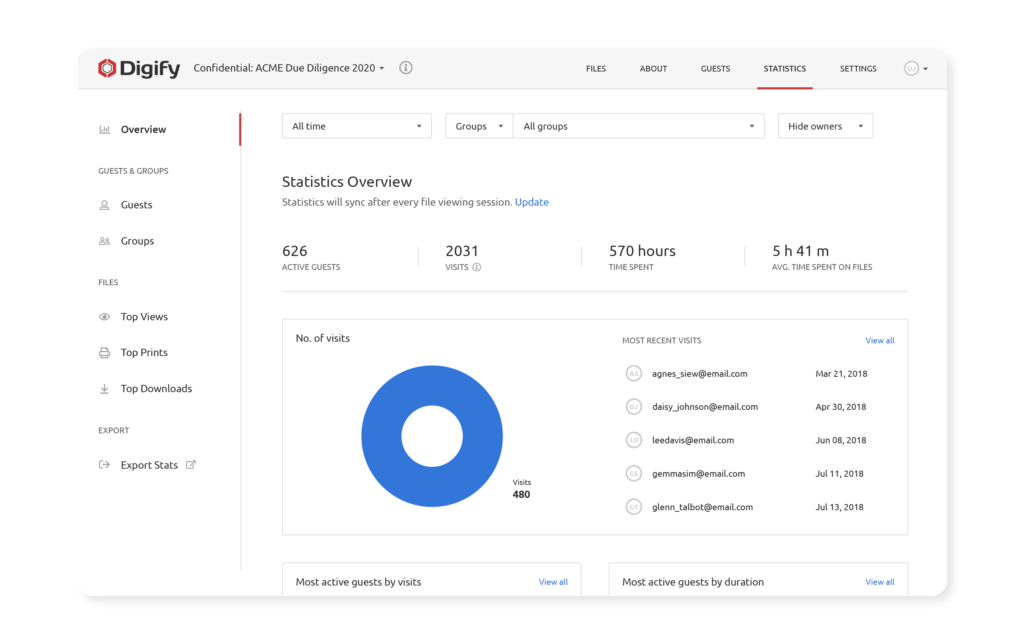
With Digify’s Virtual Data Rooms, you can gain clear visibility over your recipients’ activity. You can see detailed analytics including who has or has not visited. From here, you have the ability to send reminders, particularly to those who haven’t read the document.

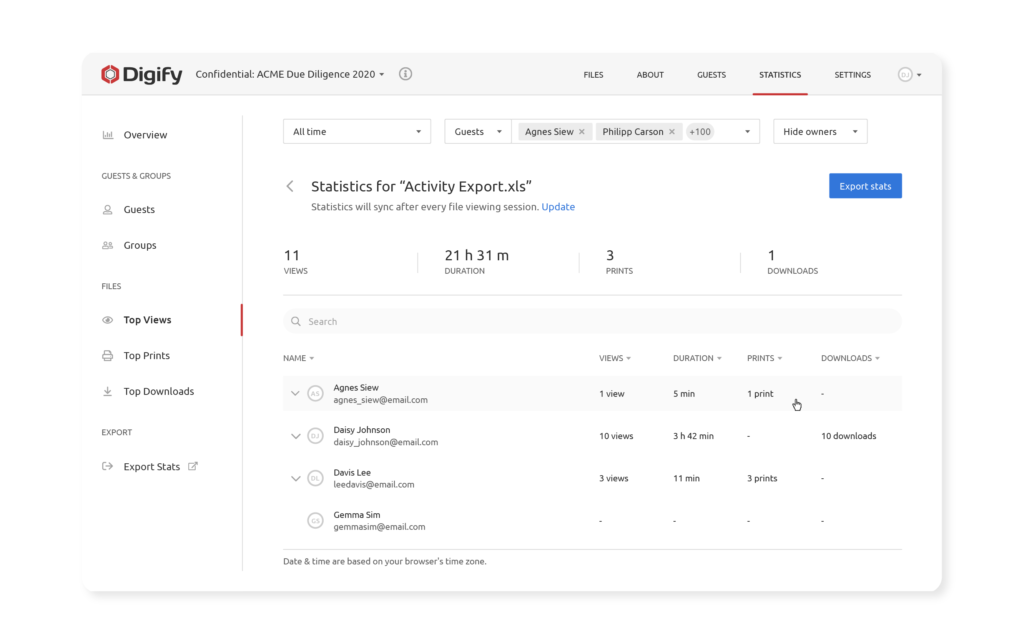
Data rooms are helpful for quickly and easily providing you an overview of document analytics, such as the ability to see rankings for who has spent the most time viewing a document, and who visited the most. You can see which documents are the most popular and all of this information can help you to hone and prioritize your follow up efforts.
For easy reference, you can also sort, rank and export document analytics. For instance, it can be very useful to see who has last visited your data room.

Digify’s document security features go beyond just file tracking to include:
Digify allows you to use any or a combination of document security features to suit your particular needs. With the use of AES-256 encryption algorithm to protect your files, this is at the highest level of protection, certified by the NSA to protect Top Secret documents. Our balance of security with simplicity makes us a great choice for companies with all sorts of document security needs.
You can try out the features of Digify for yourself with free trial. Click here to get started.

Author
Marketing specialist focused on turning insights into measurable business impact.
Document tracking made easy: engagement metrics to monitor, how to read the signals, and tools to turn views and time-on-page into follow-ups.

Discover how document tracking and page analytics can reveal investor intent, boost follow-up timing, and help you close deals faster.
Learn practical tips that you can follow to protect confidential documents while working remotely.